I’ve been a happy Frigate user for more than four years. After using the recommended Google Coral TPU for all of that time, I was intrigued by the latest support for the YOLOv9 models and wanted to give them a try. As I’ve been a Frigate+ subscriber for a few years, I can take advantage of the recently updated models.
Current Frigate Environment
The current Frigate implementation runs a MobileDet model with a native Coral TPU hardware accelerator on a circa 2015 PC. Frigate detection is monitoring three outdoor cameras over H.264 RTSP streams running at 720p with five frames per second.
~ lscpu
Architecture:                x86_64
  CPU op-mode(s):            32-bit, 64-bit
  Address sizes:             39 bits physical, 48 bits virtual
  Byte Order:                Little Endian
CPU(s):                      4
  On-line CPU(s) list:       0-3
Vendor ID:                   GenuineIntel
  Model name:                Intel(R) Core(TM) i5-6600K CPU @ 3.50GHz
    CPU family:              6
    Model:                   94
    Thread(s) per core:      1
    Core(s) per socket:      4
    Socket(s):               1
    Stepping:                3
    CPU(s) scaling MHz:      21%
    CPU max MHz:             3900.0000
    CPU min MHz:             800.0000
...
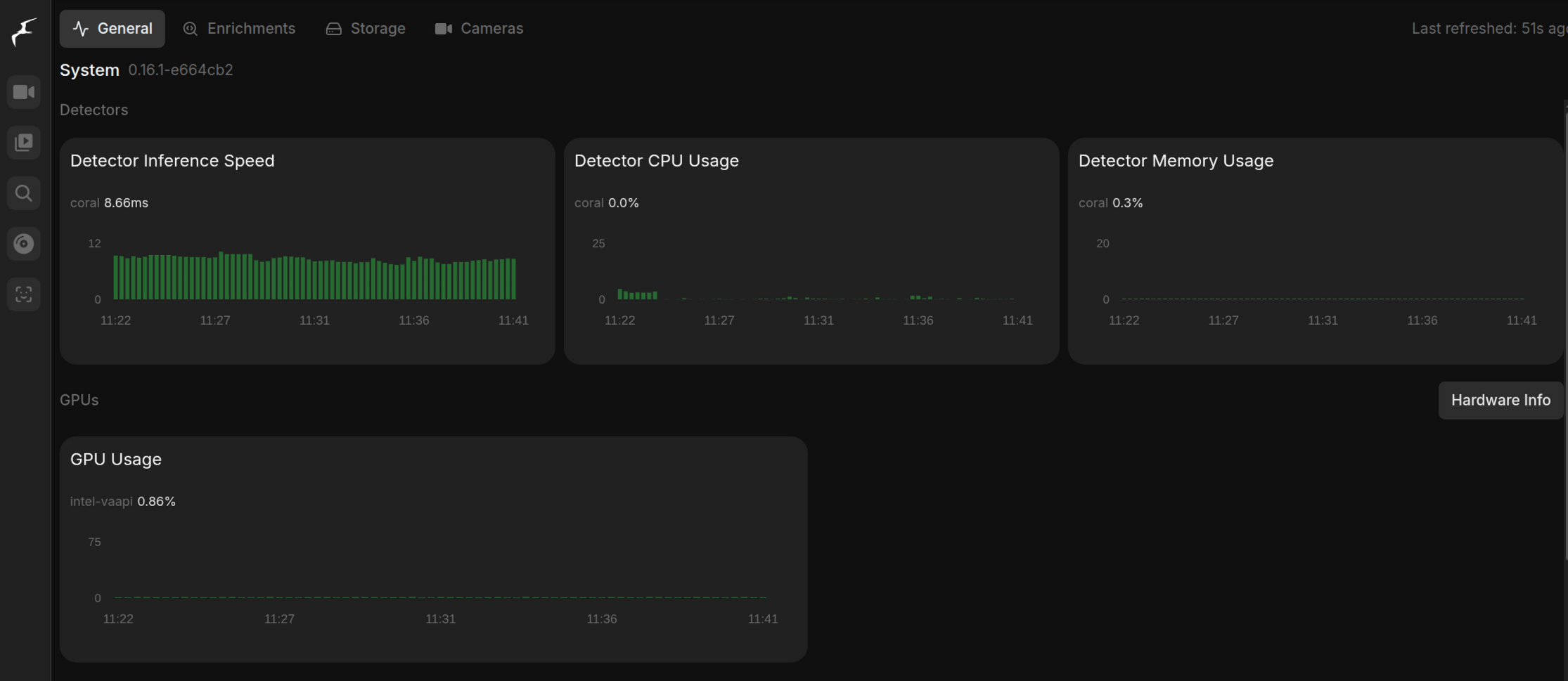
Inference speeds with the Coral are quite fast at ~10ms.
Why Switch
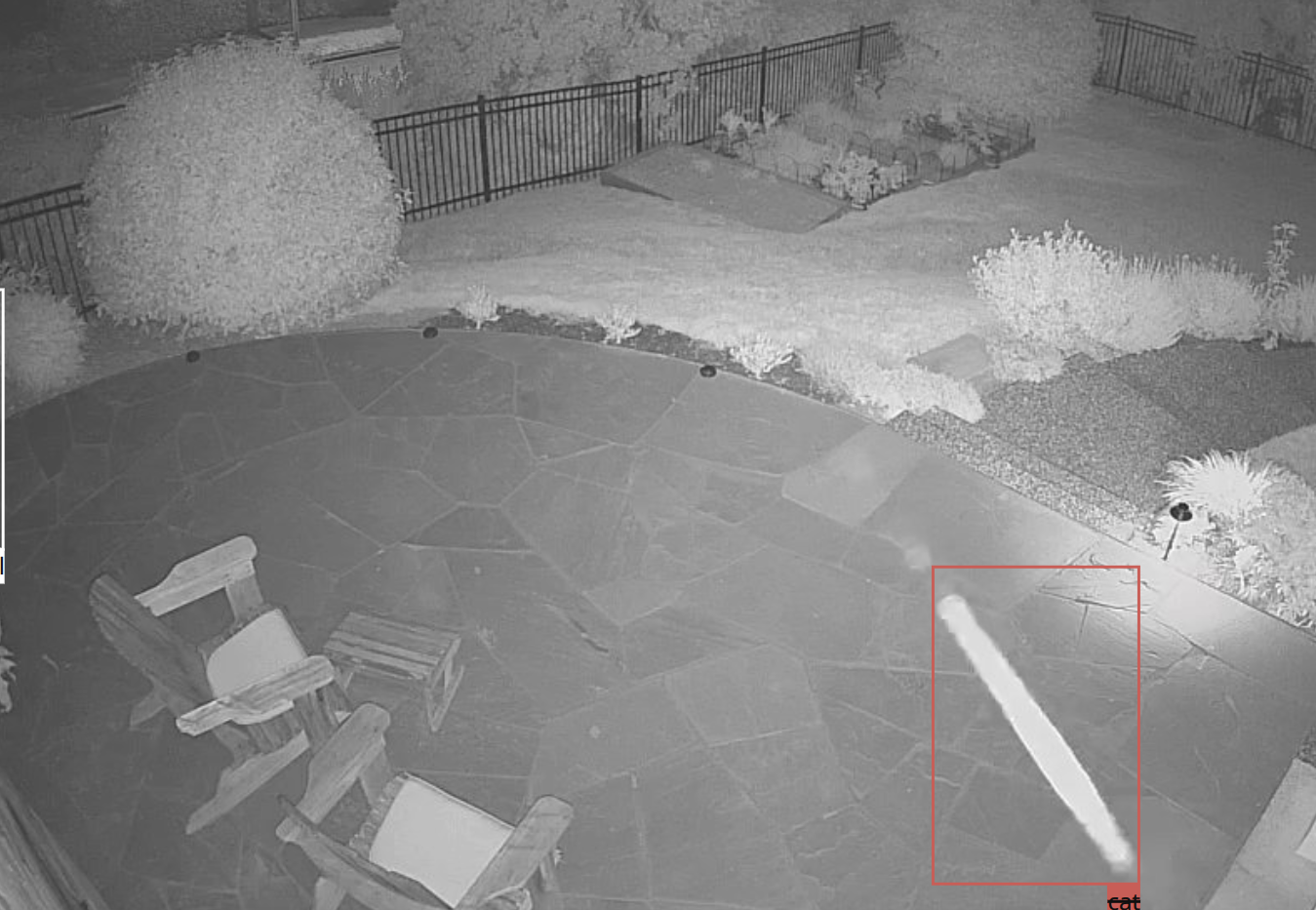
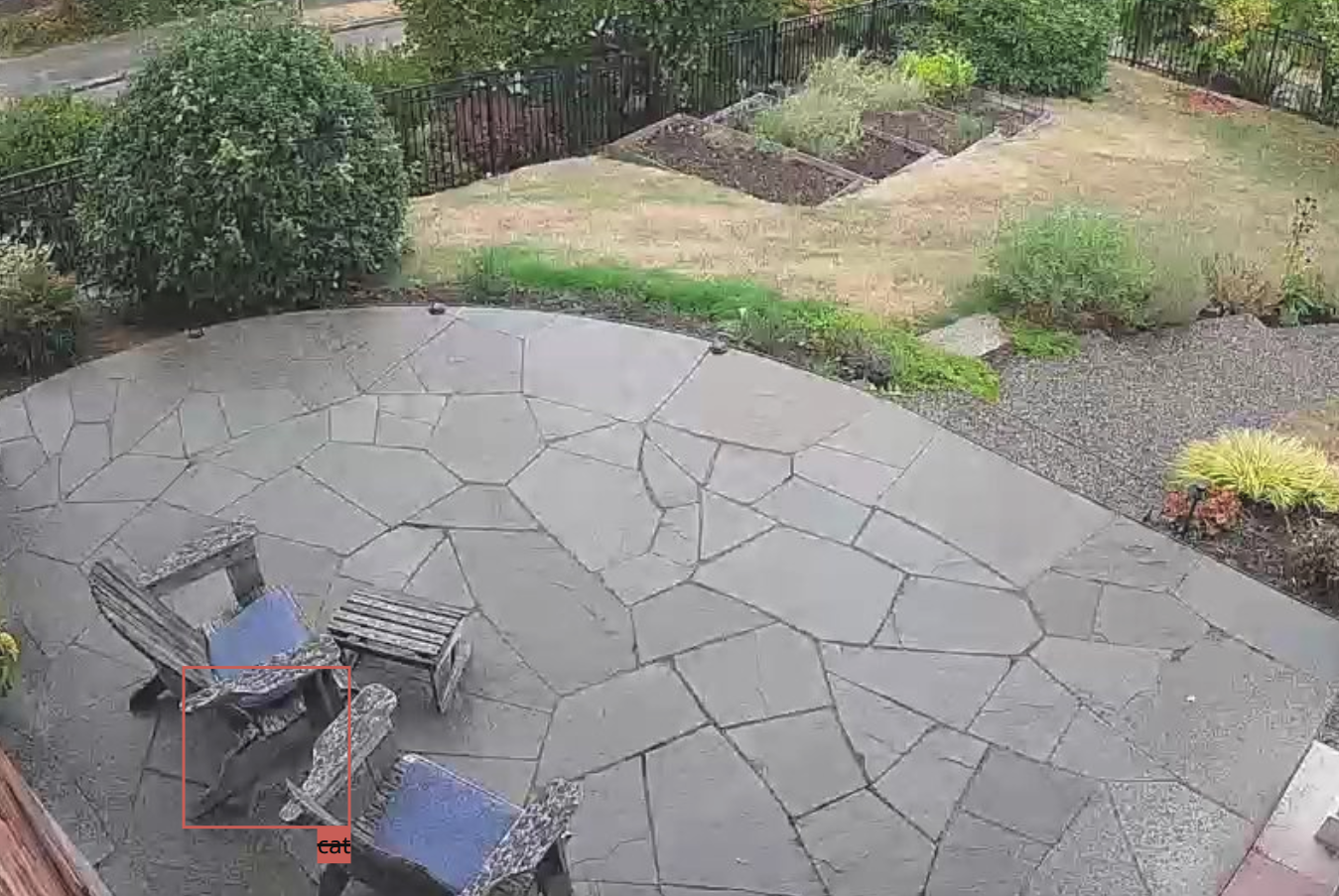
While I generally think Frigate works quite well, I still occasionally get false-positive image recognition alerts. Here are a few recent examples.
Neither a spider web or a chair are a cat.
General consensus online seems to be that the YOLO models are faster and more reliable than the older MobileDet ones. It also feels likely that the YOLO models will be the future direction of AI object detection.
Even Google Gemini suggests interest is waning.
In summary, models continue to be developed and optimized by both Google (e.g., new MobileDet/EfficientDet-Lite versions) and the community for the Edge TPU’s fixed architecture. However, the overall development and support for the Coral hardware product line itself appears to have slowed when compared to its peak, and newer, faster edge AI accelerators from competitors are now available.
Switching to YOLOv9
Frigate has gotten more complicated over the years with all of the various options and settings now available. That said,
the actual switch to using the iGPU and YOLOv9 model was straightforward. First, I followed the instructions to ensure my
iGPU device (/dev/dri) was shared to the Frigate container. Then, I updated the Frigate config to the new detector and model.
Old MobileDet config:
detectors:
  coral:
    type: edgetpu
    device: usb

model:
  path: plus://<YOUR Frigate+ MobileDet model ID>
New YOLO config:
detectors:
  ov_0:
    type: openvino
  ov_1:
    type: openvino
    device: GPU

model:
  path: plus://<YOUR Frigate+ YOLOv9s model ID>
Inference Speeds on iGPU
As the YOLO models don’t support the Coral TPU, it meant switching to running on the GPU of the Intel 530 integrated graphics.
~ lspci
00:00.0 Host bridge: Intel Corporation Xeon E3-1200 v5/E3-1500 v5/6th Gen Core Processor Host Bridge/DRAM Registers (rev 07)
00:02.0 VGA compatible controller: Intel Corporation HD Graphics 530 (rev 06)
...
Luckily, the YOLOv9 models come in a Small and Tiny variant as well as both a 640x640 and 320x320 pixel size. On even this old
hardware, the inference speed of the Small @ 320x320 is still ~30ms which should be manageable.
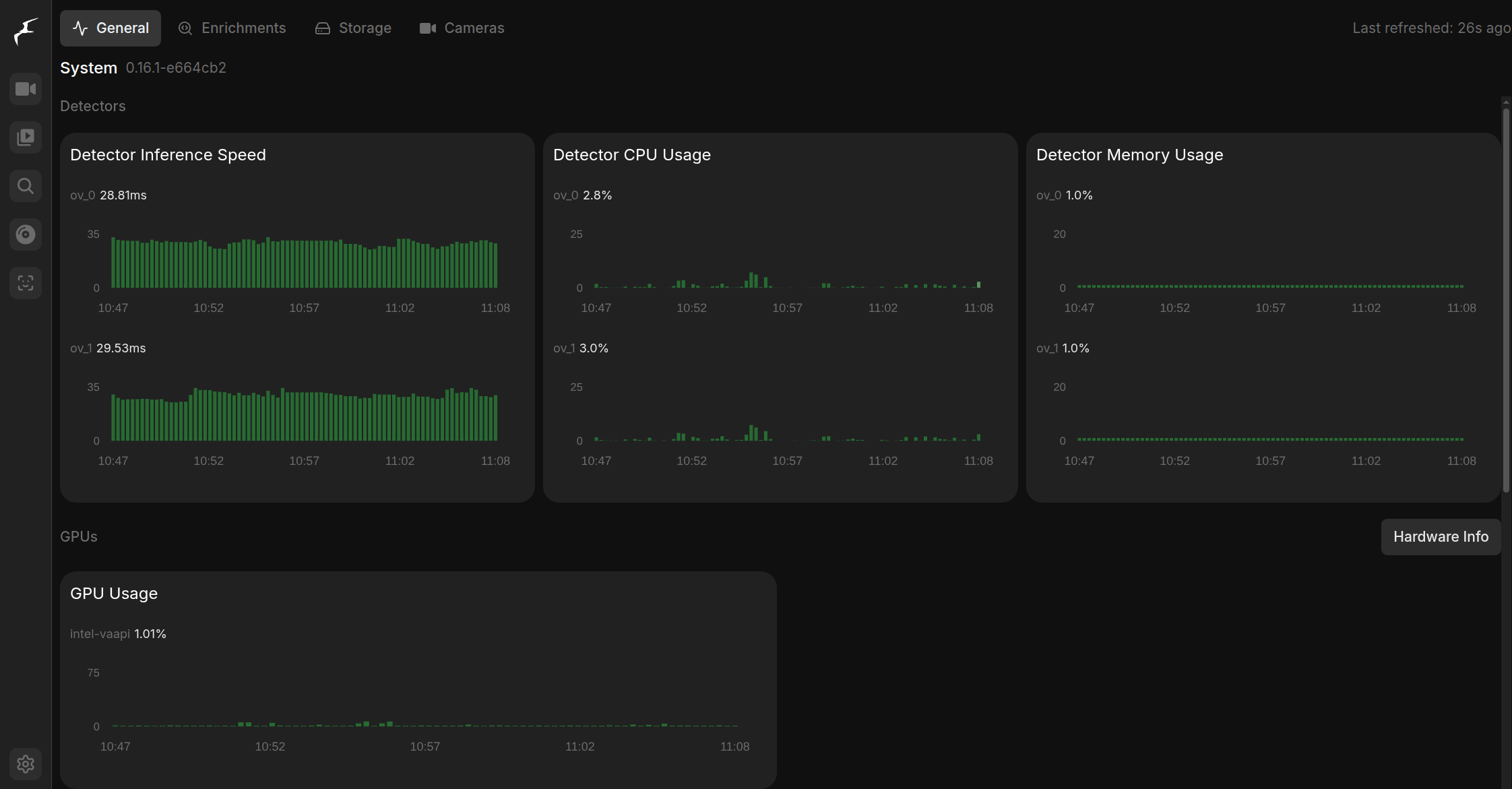
The Small variant @ 640x640 was a bit too slow with an inference speed of ~70ms so I’ll stick with the 320x320.
Conclusion
While it is too early to know if this fixes some of the false positives, it was pleasantly surprising to see how well these newer models work on rather old PC hardware. I’ll let this run for a few weeks and gauge overall performance along with consistentency before deciding if this is an improvement.